
There’s a sentence buried in a recent IRS bulletin that I think every business using AI should pay attention to.
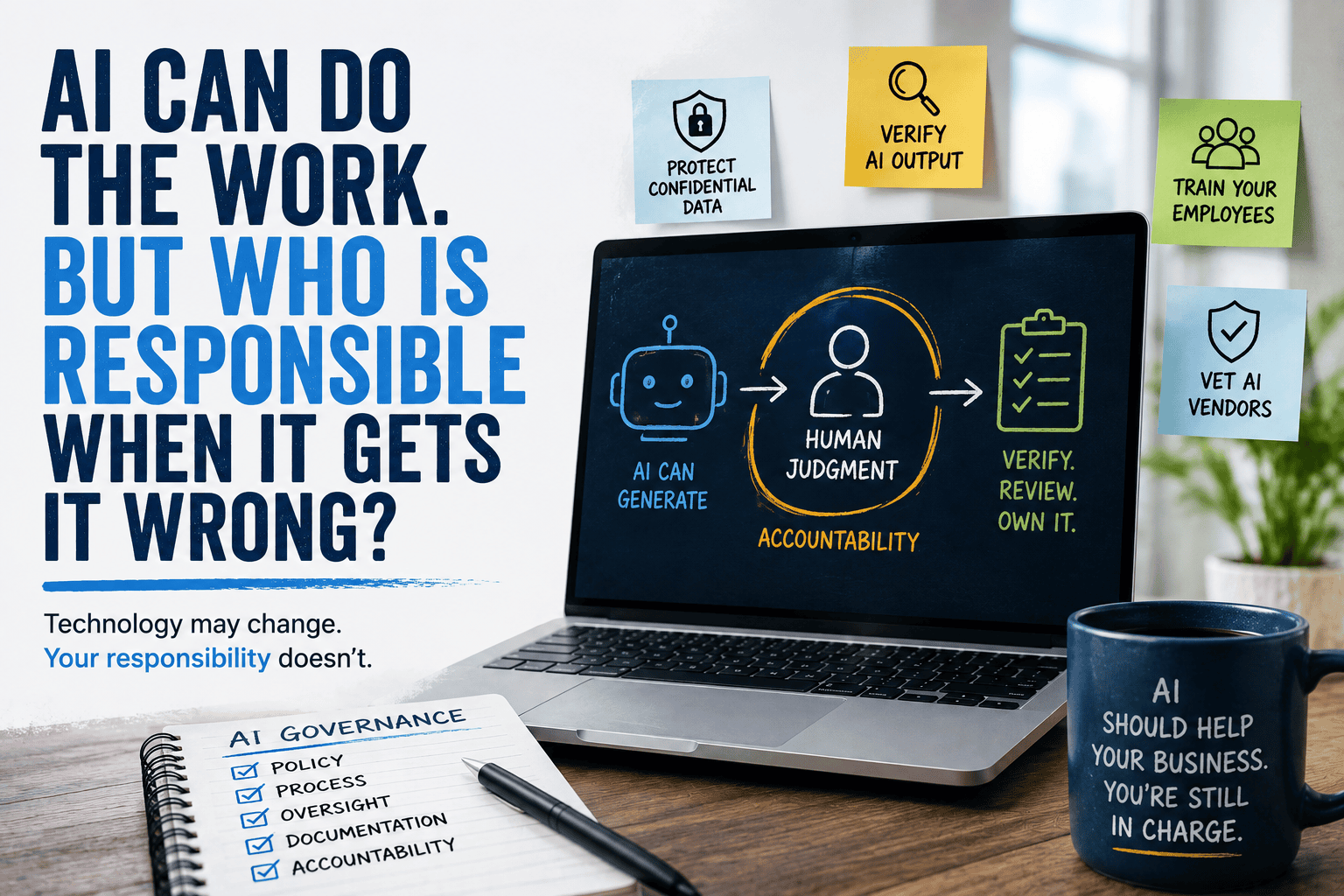
Technology may change. Your responsibility doesn’t.
That’s not exactly how the IRS phrased it, but it’s the takeaway from its new Introductory Guidelines for Responsible AI Use in Federal Tax Practice.
The guidance is specifically written for tax professionals, so let’s be clear: not every IRS requirement discussed in it applies to every business.
But the larger lesson absolutely does.
AI can draft documents, analyze information, summarize meetings, answer customer questions, research topics, automate workflows, and increasingly take actions inside business systems.
But when AI gets something wrong, who’s responsible? You are still running the business.
And that means responsible AI adoption needs to be about more than finding cool new things AI can do.
The IRS Is Basically Saying: Check the AI’s Work
Yes, we’ve all heard this many times, but are we all being vigilant about using critical thinking to ensure the work that AI is replacing or producing is actually accurate?
One of the biggest issues the IRS addresses is something most of us already know about generative AI.
Sometimes it makes things up. These are called AI hallucinations.
AI can produce inaccurate information, fabricated citations, biased results, or answers that sound completely convincing while being completely wrong. The IRS specifically warns tax practitioners about these risks and says AI-generated documents need to be carefully reviewed.
For tax professionals, the IRS ties that directly to existing due-diligence requirements. Facts, citations, calculations, legal authorities, and other AI-generated information need to be verified rather than blindly accepted.
That’s tax guidance.
But imagine applying the same thinking elsewhere.
An employee asks AI to:
- Draft a customer proposal
- Summarize a contract
- Analyze financial information
- Write technical documentation
- Create marketing claims
- Recommend a business decision
- Generate computer code
- Answer a customer’s question
Who checks the result?
If your answer is “the employee using it,” great.
Now the more important question: Have you actually told them that?
Human-in-the-Loop Isn’t an AI Limitation
There’s been a tendency to describe human oversight as something we need because AI isn’t good enough yet.
I think that’s the wrong way to look at it. Human oversight can be an intentional part of a well-designed AI workflow.
The IRS guidance repeatedly emphasizes human review, professional judgment, verification, and accountability. Its conclusion is particularly important: AI can improve efficiency, research, and routine work, but final decisions need to remain with qualified professionals who understand the work being performed.
That aligns with the broader NIST AI Risk Management Framework.
NIST’s Generative AI Profile notes that generative AI may require different levels of oversight and different human-AI configurations depending on the risks involved. It also identifies additional human review, tracking, documentation, and management oversight as potential governance measures.
That’s also how we approach Agentic AI Management Services.
Some AI workflows can operate with considerable autonomy. Others should have a person to review results, approve decisions, or handle exceptions.
The question isn’t whether AI is autonomous.
The question is: How much autonomy should we give AI for this particular task?
Your AI Policy Needs to Address Data, Not Just Output
There’s another part of the IRS guidance that businesses shouldn’t overlook.
What are employees putting into AI?
The IRS warns tax professionals about uploading sensitive taxpayer information into unsecured or public AI platforms and says practitioners should use secure, enterprise-approved AI with appropriate confidentiality protections.
This is a much bigger issue than whether ChatGPT, Claude, Copilot, Gemini, or another platform is inherently “secure.”
The real questions are:
- Which AI platforms has your organization approved?
- Are employees using business or personal accounts?
- What information are they allowed to upload?
- Can customer information be entered?
- Can financial information be entered?
- Can employee information be entered?
- Can proprietary company information be entered?
- How is the AI provider using and retaining that data?
- Who can access AI-generated output?
We’ve talked about this before in Your Employees Are Already Using AI. Is It Secure?
Most employees aren’t trying to create a security problem. They’re trying to save 20 minutes.
That’s exactly why businesses need an AI policy before something goes wrong.
AI Vendors Need Due Diligence Too
This part of the IRS guidance deserves more attention.
The agency specifically recommends that tax practices vet third-party AI tools before purchasing them. It also says firms should establish secure data-handling protocols and access controls and document their AI usage and verification processes.
That translates very well to businesses outside accounting.
When somebody walks into your office with a fantastic AI automation demo, don’t just ask:
“What can it do?”
Ask:
- What systems does it connect to?
- What data can it access?
- What permissions does it require?
- Where is our data stored?
- What credentials does it use?
- How is activity monitored?
- Can we restrict what it can do?
- What happens when we stop using it?
- How do we remove its access?
- Who is responsible when something fails?
This becomes especially important with agentic AI.
An AI tool that helps someone rewrite an email represents one type of risk.
An AI agent with permission to access Microsoft 365, your CRM, customer records, cloud infrastructure, or business applications represents something very different.
As we discussed in The Hidden Risk in the AI Gold Rush, machine credentials and integrations can quietly expand an organization’s attack surface if permissions, ownership, monitoring, expiration, and offboarding aren’t properly managed.
The more an AI system can do, the more important governance becomes.
Employees Need AI Training, Not Just AI Access
This may be one of the most practical recommendations in the IRS guidance… Train your people.
For tax firms, the IRS specifically identifies comprehensive staff training on AI risks and requirements as part of the internal policies and procedures organizations should establish.
Again, the specific regulatory requirements apply to tax practitioners.
But the management principle applies almost anywhere.
Telling employees “You can use AI” isn’t enough. They should also understand:
- Which AI platforms are approved
- What information can and cannot be entered
- When AI-generated work needs review
- How to verify factual claims and citations
- When a human needs to make the final decision
- How to report an AI error or security concern
- What AI should never be allowed to do
That’s governance in the real world.
It doesn’t have to begin with a 75-page AI policy nobody reads. It can start with clear rules people actually understand.
AI Governance Should Match the Risk
Not every AI use case deserves the same controls.
If an employee asks AI to brainstorm five titles for a blog post, the consequences of a bad answer are pretty small.
If AI is reviewing tax returns, generating legal advice, accessing medical information, communicating with customers, approving financial transactions, or changing a production database, the consequences can be considerably larger.
NIST’s Generative AI Profile is useful here because it’s designed to help organizations identify risks unique to generative AI and determine risk-management actions appropriate to their goals and priorities.
In practical terms, I would think about AI use cases in tiers.
- Lower risk: brainstorming, formatting, general research, meeting summaries.
- Moderate risk: customer communications, proposals, internal analysis, marketing content, business recommendations.
- Higher risk: confidential information, regulated data, financial decisions, legal or compliance work, system access, automated transactions, or AI agents capable of taking actions.
As the consequences increase, so should the controls.
More verification, restricted access, and monitoring.
And, where appropriate, more human involvement.
A Simple AI Governance Checklist
If your organization is already using AI, you don’t need to make this complicated.
Start by asking:
- Visibility: Do we know which AI tools employees are using?
- Policy: Have we documented what’s allowed and what’s not?
- Data: Do employees know what information they can enter?
- Verification: Do they know when AI output needs to be checked?
- Human oversight: Have we defined which decisions require a person?
- Access: What systems and information can our AI tools reach?
- Vendors: Have third-party AI platforms been evaluated?
- Training: Have employees received practical AI guidance?
- Monitoring: Can we see what our AI systems and agents are doing?
- Incident response: What happens when AI makes a significant mistake?
If several of those questions don’t have clear answers, that’s where I’d start.
Our AI Readiness Assessment looks at data and Microsoft 365 readiness, identity and cybersecurity, AI governance, infrastructure, and technology strategy before organizations move deeper into AI deployment.
Because the best time to figure out the rules isn’t after AI has access to everything.
The IRS Guidance Is Really About Something Bigger
The IRS bulletin is aimed at tax professionals, but I think its most valuable lesson applies to almost every organization adopting AI:
Technology doesn’t eliminate accountability.
AI can make employees faster.
It can automate repetitive work, can help analyze enormous amounts of information, and improve customer service.
And increasingly, AI agents can perform tasks that previously required a person.
None of that means we should avoid AI. Quite the opposite.
It means businesses need to become better at managing AI, not just buying it.
That means knowing what AI has access to, establishing rules around how AI is used, protecting sensitive information, verifying important output, training employees, monitoring AI systems, and keeping people involved where judgment and accountability matter.
The IRS puts it in professional terms: technology is a tool, not a substitute for professional judgment.
I’d make it even simpler for business leaders:
Let AI do more of the work. Just don’t outsource responsibility along with it.
If you’re not sure whether your technology, cybersecurity, Microsoft 365 environment, data, and policies are ready for AI, talk to someone who can help you identify the gaps before they become problems.