
Few things frustrate employees more than unreliable Wi-Fi.
Video calls freeze in the middle of an important meeting. Cloud applications take longer than they should to load. Microsoft Teams calls become choppy. Files stop syncing.
Customers struggle to connect to the guest Wi-Fi. Employees find themselves moving around the office searching for a stronger signal instead of focusing on their work.
When businesses begin experiencing wireless dead spots, the first instinct is often to purchase a Wi-Fi extender.
It’s inexpensive, easy to install, and promises to solve the problem quickly.
Unfortunately, it rarely solves the real problem.
Businesses operating in larger offices, multi-story facilities, warehouses, medical practices, schools, nonprofits, or older buildings with concrete, brick, or steel construction often outgrow the capabilities of a simple Wi-Fi extender.
A properly designed wireless network using business-grade access points provides faster performance, stronger security, and a much better experience for employees and visitors alike.
We’ve found that poor Wi-Fi is rarely just a networking issue. It affects:
- Employee productivity
- Customer experience
- Collaboration
- Cybersecurity
- Cloud applications
- VoIP communications
- AI-powered business tools
That’s why we view wireless networking as an essential part of a proactive IT strategy rather than simply another piece of networking hardware.
Understanding the Difference Between W-Fi Extenders and Wireless Access Points
Wi-Fi Extenders
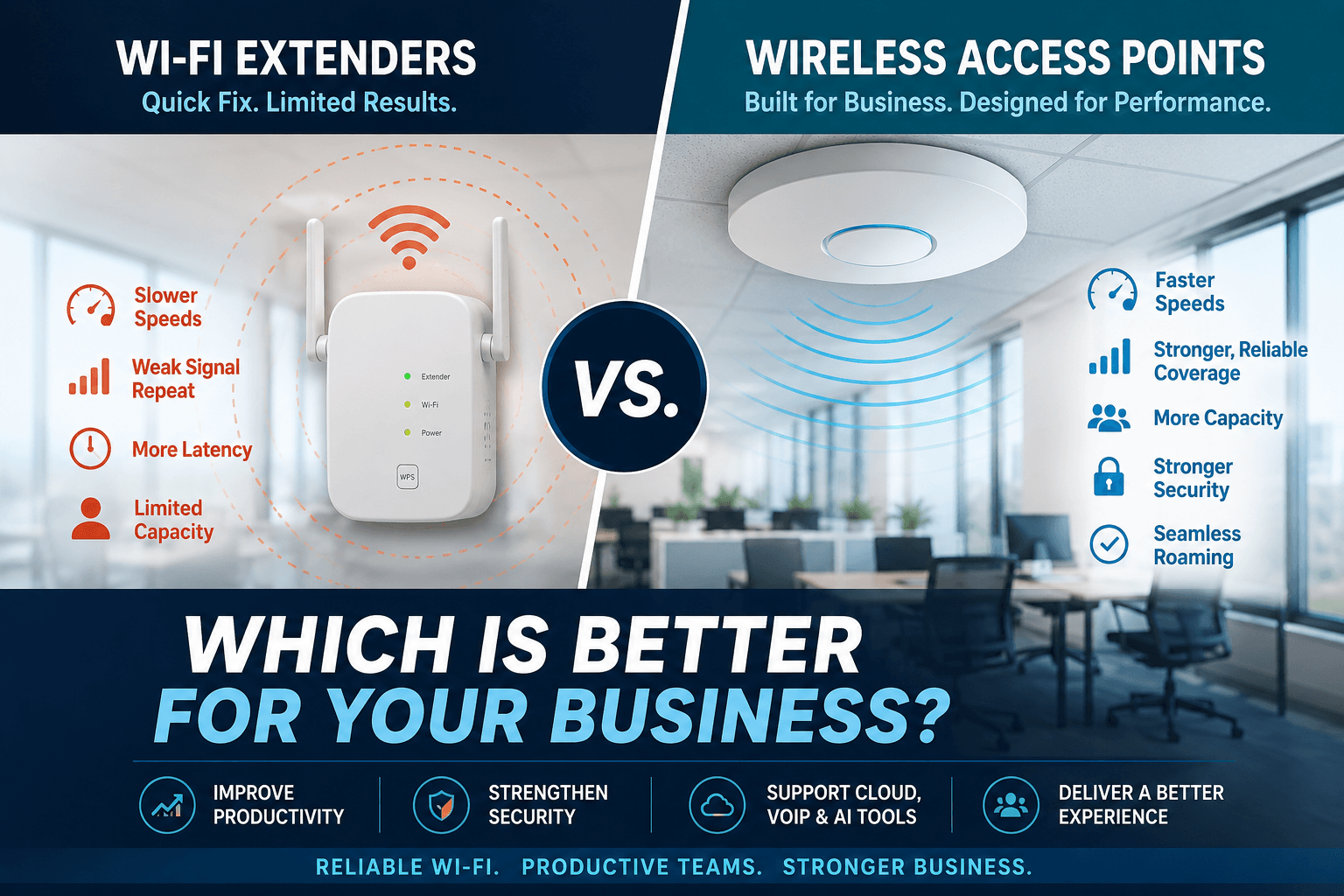
Although Wi-Fi extenders and wireless access points both improve wireless coverage, they do so in very different ways.
A Wi-Fi extender receives an existing wireless signal and rebroadcasts it to another part of the building.
A Wi-Fi extender can improve coverage in a small office or home, but it often comes with a tradeoff.
Because it communicates with both the router and connected devices over the same wireless connection, it introduces an extra wireless “hop,” increasing latency and reducing available bandwidth.
Wireless Access Points
A wireless access point works differently.
Rather than repeating an existing signal, it connects directly to the business network through an Ethernet cable and creates a brand-new wireless coverage area.
Multiple access points work together to provide seamless coverage throughout the building while maintaining consistent performance.
This Cisco article shows that professionally managed wireless access points are designed to provide centralized management, seamless roaming, higher client capacity, and greater reliability than consumer-grade wireless equipment.
This difference becomes increasingly important as organizations adopt cloud services, Microsoft 365, VoIP systems, video conferencing, AI-powered applications, and mobile workforces.
Why Reliable Wi-Fi Directly Impacts Productivity
Today’s businesses rely on wireless connectivity for nearly every aspect of daily operations.
Employees routinely connect to:
- Microsoft 365
- Microsoft Teams
- CRM systems
- Cloud-based accounting software
- VoIP phone systems
- AI assistants
- Shared file storage
- Wireless printers
- Mobile devices
- Conference room technology
When wireless performance suffers, every one of these systems is affected. Employees experience:
- Less productivity
- Issues connecting to meetings
- Slow-loading applications
- Dropped calls
- Poor performance during video conferences
- Cloud applications responding slowly
- File synchronization takes longer than expected
While each interruption may last only a few seconds or minutes, the cumulative effect across an entire organization can amount to hours of lost productivity every week.
Reliable wireless infrastructure doesn’t simply improve internet speeds. It improves how employees collaborate, communicate, and serve customers.
That’s one reason organizations increasingly view wireless networking as a business investment rather than simply an IT expense.
Older Buildings Present Unique Wireless Challenges
One of the biggest misconceptions about Wi-Fi is that purchasing a more powerful router will automatically eliminate coverage issues.
Unfortunately, physics has other ideas.
Many commercial buildings were constructed long before wireless networking became critical to business operations.
Materials commonly found in older buildings, including concrete, brick, plaster, reinforced steel, elevator shafts, metal shelving, and mechanical rooms, can significantly weaken or block wireless signals.
According to the National Institute of Standards and Technology (NIST), physical building materials and environmental factors can substantially affect wireless network performance and should be considered during network planning.
This is why businesses operating in older office buildings often experience dead spots despite having high-speed internet service.
Adding another Wi-Fi extender usually repeats an already weakened signal.
Installing strategically placed access points solves the problem much more effectively by bringing strong wireless coverage closer to employees rather than relying on a single signal to travel through multiple walls and floors.
The result is:
- Faster wireless speeds
- More reliable connectivity
- Better roaming
- Fewer dropped connections
- Improved employee productivity
Why Professional Wireless Design Matters
Installing access points without proper planning can create almost as many problems as installing too few.
Too many access points placed too closely together can create channel interference. Too few can leave coverage gaps. Poor placement may result in overlapping signals or inconsistent roaming between coverage areas.
This is why enterprise wireless deployments often begin with a wireless site survey.
A professional wireless assessment evaluates:
- Building construction
- Office layout
- User density
- Interference sources
- Coverage requirements
- Device types
- Application usage
Many organizations also perform wireless heat mapping, which visually identifies strong and weak coverage areas before equipment is installed.
Rather than guessing where wireless signals might reach, businesses can design networks based on actual usage patterns and business workflows.
This approach aligns closely with our proactive approach to Managed IT Services.
Instead of reacting to wireless complaints after employees begin experiencing problems, organizations can identify potential issues before they affect business operations.
Wireless Networks Have Become Business Infrastructure
Ten years ago, unreliable Wi-Fi was mostly an inconvenience. Today, it can bring business operations to a halt.
Organizations depend on wireless connectivity for:
- Cloud computing
- Collaboration platforms
- Cybersecurity tools
- Inventory systems
- VoIP communications
- AI-powered applications
All of these and more require fast, reliable, low-latency network connections.
As businesses continue adopting technologies such as Microsoft Copilot, cloud-hosted applications, and intelligent automation, the wireless network becomes even more important.
Simply extending yesterday’s Wi-Fi isn’t enough to support tomorrow’s business. Interested in exploring wireless access points for your business or organization? We can help.