
Let’s get one thing out of the way.
AI is not going to walk into your office on Monday morning, take someone’s desk, steal their coffee mug, and start answering the phones.
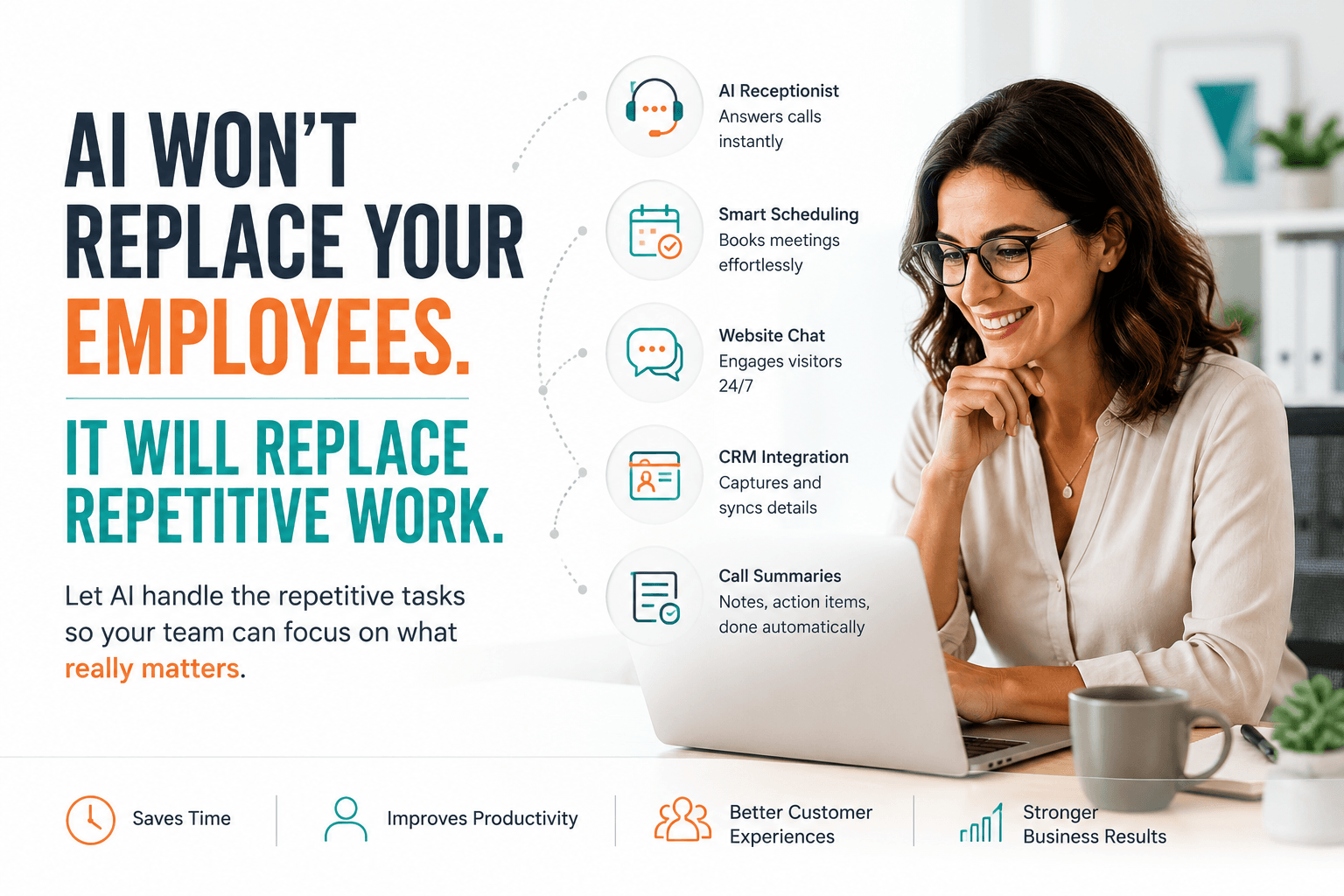
For most small and midsized businesses, AI is not about replacing employees. It is about replacing the repetitive, time-consuming work that prevents good employees from doing the jobs you hired them to do.
- You did not hire your best salesperson to spend half the day scheduling meetings.
- You did not hire an experienced customer service professional to answer, “What time do you close?” for the 47th time this week.
- And you probably do not want someone manually copying call notes into your CRM when technology can handle the first draft in a few seconds.
That is where AI makes sense.
It handles the routine work. Your employees handle the work that requires judgment, creativity, empathy, and a functioning knowledge of human behavior.
This is not just wishful thinking. Microsoft’s Work Trend Index research found that business leaders were twice as interested in using AI to improve productivity as they were in using it to reduce headcount.
Leaders also identified repetitive tasks and low-value work as some of the areas where they most wanted AI to help employees.
Start With the Work Nobody Enjoys
Whenever I hear a business owner say, “I don’t know where we would even use AI,” my first question is usually simple:
“What work does your team complain about doing repeatedly?”
That is the best place you start.
Look at the tasks that happen every day, follow predictable steps, and interrupt more valuable work. Those are usually the best candidates for automation. That might include:
- Answering common customer questions
- Routing incoming calls
- Scheduling appointments
- Capturing contact information
- Updating CRM records
- Summarizing conversations
- Sending routine follow-up messages
- Transcribing calls and meetings
None of this means your employees are unnecessary. It means they no longer need to function as highly paid copy-and-paste machines.
Businesses already using Managed IT Services, Microsoft 365 Solutions, and Cybersecurity Services should think about AI communications as another part of their technology environment, not as a strange science experiment living in a corner.
The best approach is to manage these systems as connected parts of the business, including the infrastructure, identity, security, cloud services, and support behind them.
Your Receptionist Should Not Have to Be Everywhere at Once
Your receptionist may be answering the phone, greeting someone in the lobby, finding an employee, checking a calendar, responding to an email, and trying to remember why someone from accounting just walked past looking concerned.
That is a lot.
An AI receptionist can handle the predictable parts of the job without pretending to replace the person doing it. For example, it can:
- Answer common questions
- Identify why someone is calling
- Route calls to the appropriate person
- Schedule appointments
- Collect basic information
- Provide after-hours assistance
- Escalate complicated issues to a real employee
This is an important distinction.
A traditional auto attendant makes callers listen to a list of options and press buttons. We all know how annoying this can be.
An AI receptionist can allow someone to say, “I need to speak with somebody about an invoice,” and route the call based on what that person needs.
That is easier for the customer, and it saves your team from playing telephone traffic controller all day. This is a positive customer experience.
The 3CX Business Phone Systems and AI-Powered Communications combine voice, video, messaging, mobile access, CRM integrations, contact-center capabilities, and AI-assisted call handling in one platform.
Your Website Can Do More Than Sit There Looking Pretty
A website shouldn’t just be a brochure with a contact form attached.
Customers visit your website because they need something. They may have a question, want to schedule a conversation, need help choosing a service, or simply want confirmation that you are open.
When the only option is “Fill out this form, and we will get back to you,” you are asking the customer to wait.
Sometimes they will. Sometimes they will open another browser tab and ask your competitor instead.
An AI-powered website chat can answer routine questions, capture leads, schedule appointments, and route more complicated conversations to a real person. It gives visitors a useful next step while they are still engaged rather than asking them to wait until somebody checks an inbox.
The point is not to disguise a robot as a human being. The point is to help customers get answers faster.
Reliable website communication also depends on the technology behind the site. For example, managed website hosting includes monitoring, backups, redundant cloud infrastructure, security, and management designed to help keep business websites available and responsive.
Scheduling Should Not Require Nine Emails
We have all been trapped in the scheduling conversation.
- “How does Tuesday look?”
- “Tuesday is bad. What about Wednesday?”
- “Morning or afternoon?”
- “Afternoon.”
- “I can do 2:00.”
- “I just booked something at 2:00. Can you do 3:30?”
This is how people lose the will to meet.
AI scheduling tools can connect to calendars, identify available times, confirm appointments, and send reminders without requiring an employee to manage the entire exchange.
That may not sound revolutionary until you calculate how many of these conversations your team has every week.
- Saving five minutes once is not especially exciting.
- Saving five minutes hundreds of times starts to matter.
This is where integration becomes important. An assistant scheduling agent is much more useful when it can work with the tools your employees already use, including calendars, email, customer records, and Microsoft 365, rather than creating another disconnected application your team has to manage.
CRM Integration Is Where Things Get Really Useful
AI becomes much more valuable when it connects with the rest of your business systems.
A standalone tool might save a little time. An integrated tool can improve an entire workflow.
Imagine a customer calls your business. The conversation is transcribed, summarized, and added to the customer’s CRM record. A follow-up task is created, and the appropriate employee receives a notification.
- No one has to remember every detail.
- There is no need to retype handwritten notes.
- No one must wonder whether the follow-up happened.
Modern business communications can connect with:
- CRM platforms
- Microsoft 365
- Calendars
- Help desk systems
- Scheduling software
- Customer databases
- Business intelligence tools
- ERP systems
This is why businesses need to look beyond the novelty of AI and focus on how it connects to actual business processes.
A clever chatbot is interesting. A chatbot that qualifies a lead, books a meeting, updates the CRM, and alerts the sales team is useful.
3CX supports communications, CRM integration, contact-center functionality, and AI-powered call handling as part of its broader communications platform, which is one reason it’s positioned as more than a basic phone system.
Call Summaries Save Time and Improve Follow-Up
Most people are not great at taking notes while having a conversation.
They either stop listening to type, or they listen carefully and tell themselves they will remember everything later. They will not remember everything later.
AI-generated call summaries can capture key discussion points, customer concerns, action items, and follow-up commitments. Employees can review the summary, correct anything that needs clarification, and move forward without reconstructing the conversation from memory.
This improves more than productivity. It also improves continuity. And it also allows the employee to focus on the conversation to truly understand the customer needs.
When the next employee speaks with that customer, they can see what was discussed previously. The customer does not have to start over and explain the entire situation again. We all know how annoying that can be.
Customers do not care that AI created the first draft of the summary. They care that your business remembered the conversation.
Better Customer Service Often Happens Behind the Scenes
Some of the best uses of AI are completely invisible to the customer. The customer only notices that:
- Someone answered quickly
- The call reached the right person
- Employees understood the issue
- The meeting was easy to schedule
- Follow-ups happened on time
- They did not have to repeat themselves
That is the goal.
AI does not need to become the star of the customer experience. It should make the experience feel easier, faster, and more organized.
Your employees still build relationships. AI simply helps remove the friction.
Microsoft’s ongoing Work Trend Index examines how AI is reshaping work, including the growing role of AI in handling execution-heavy tasks while people remain responsible for judgment, collaboration, and business outcomes.
AI Still Needs Adult Supervision
AI can be extremely useful.
It can also make mistakes, misunderstand context, mishandle information, or confidently produce an answer that sounds correct and is completely wrong.
So, no, businesses should not turn everything over to AI and hope for the best.
Most real-world implementations still require human oversight, clear permissions, security controls, and defined escalation procedures.
The NIST AI Risk Management Framework encourages organizations to build trustworthiness and risk management into the design, deployment, use, and evaluation of AI systems. Its core approach focuses on governing, mapping, measuring, and managing AI risks throughout the system lifecycle.
Agentic AI Management Services combined with MSP, and data center solutions help businesses address governance, identity, access, infrastructure, security monitoring, and human oversight as AI becomes connected to Microsoft 365, CRM platforms, cloud services, business applications, and company data.
Your goal is not autonomous AI running loose through your company. Your goal is well-managed AI helping your employees do better work.
The Future Is Not Humans Versus AI
That debate makes for good headlines, but it is not particularly useful.
The more practical question is:
What could your employees accomplish if repetitive work stopped consuming so much of their day?
- AI can answer routine questions.
- Your employees can handle the complicated ones.
- AI can summarize a call.
- Your employees can decide what to do next.
- AI can schedule the meeting.
- Your employees can build the relationship.
- AI can update the CRM.
- Your employees can close the opportunity.
That is the combination businesses should be working toward.
See AI Communications in Action
AI communications are much easier to understand when you see how they work in a real business setting.
Schedule an AI Communications Demo to see how an AI receptionist, website chat, intelligent scheduling, CRM integration, and automated call summaries can reduce repetitive work while helping your employees provide a better customer experience.