
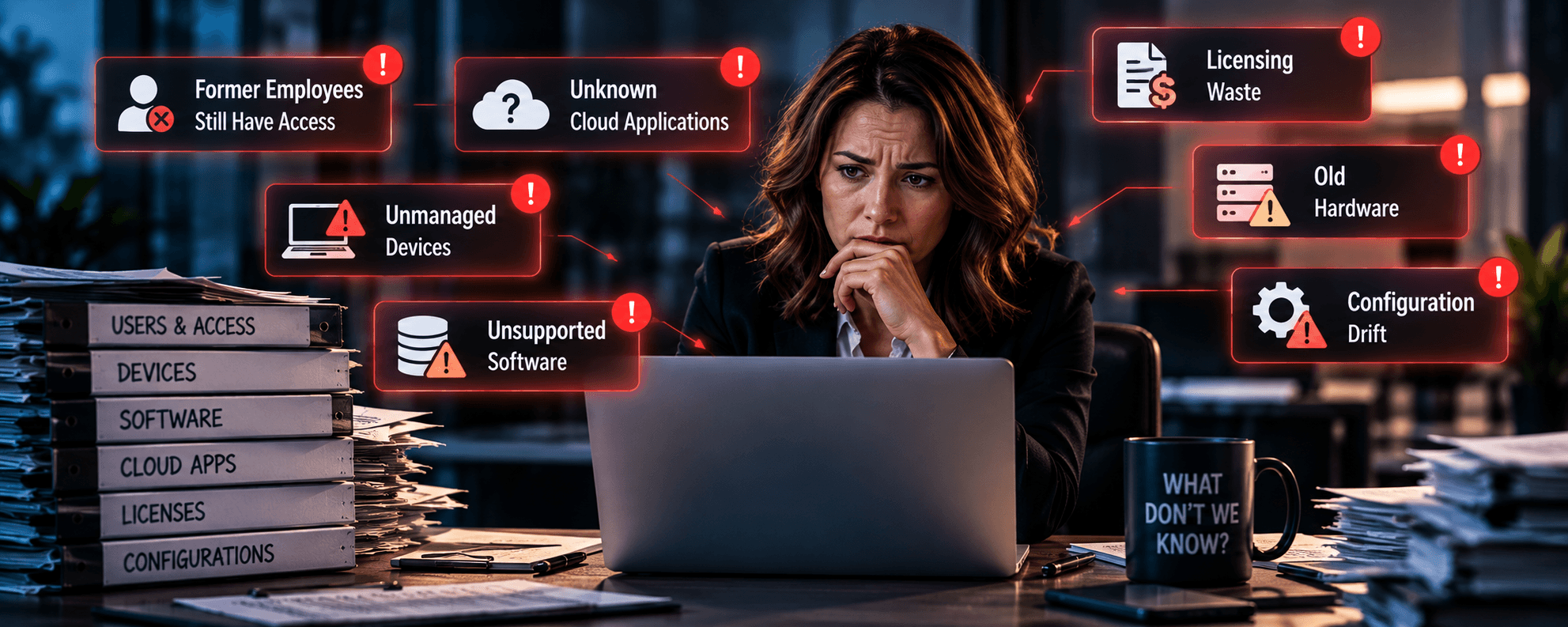
Your business has cybersecurity software, Microsoft 365, cloud applications, managed devices, and someone responsible for keeping everything running.
So, you’re covered, right?
Maybe. But what about the employee who left eight months ago and still has access to a cloud application? The old server running software nobody has updated in years? The laptops that aren’t being monitored? Or the subscriptions you’re still paying for that nobody uses?
These aren’t necessarily signs of a poorly run business. They often result from years of technology decisions, employee changes, new applications, and systems that never quite get retired.
And they create a problem leadership doesn’t always recognize.
Some of your biggest IT risks may come from technology you don’t even know exists.
That’s why an IT audit shouldn’t just check whether your systems are working. It should help answer a much more important question:
What don’t we know about our technology environment?
Your Technology Environment Is Probably Bigger Than You Think
Think about how technology gets added to a business.
Someone needs a new application. A department hires another employee. A vendor installs a specialized system. An old computer gets repurposed. A manager signs up for a cloud service to solve an immediate problem.
Individually, those decisions may make perfect sense.
Over time, however, businesses can accumulate a surprisingly complicated collection of hardware, software, accounts, subscriptions, permissions, and cloud services.
Without consistent oversight, nobody necessarily has a complete picture.
That’s where your IT provider should provide more than technical support. They should give leadership visibility into what the organization owns, uses, depends on, and needs to protect.
Because you can’t effectively manage technology you don’t know you have.
Forgotten Accounts: The Employees Who Never Really Left
An employee leaves the company. HR completes the paperwork, returns their laptop, and disables their Microsoft 365 account.
- But what about their access to the CRM?
- The accounting platform?
- The marketing system?
- Or the vendor portal?
- The application they signed up for using their company email?
Offboarding isn’t always as complete as leadership assumes.
Forgotten accounts can create unnecessary security exposure, especially when they retain permissions or administrative privileges.
The problem isn’t limited to former employees. Contractors, temporary staff, vendors, and service accounts may also retain access long after their original purpose has ended.
A technology assessment should identify active accounts, verify ownership, review permissions, and determine whether access is still necessary.
Leaving the company should also mean leaving the company’s systems.
Old Hardware and Software Nobody Wants to Touch
Every business has technology that’s been around a little too long.
Maybe it’s an aging server running an important application. A workstation connected to specialized equipment. A firewall that hasn’t been replaced because it still works.
The danger isn’t necessarily the age of the equipment. It’s whether the hardware and software are still supported, updated, secured, and appropriate for the business.
When a manufacturer stops providing security updates, vulnerabilities may remain unresolved. When hardware reaches the end of its supported life, replacement parts and technical assistance may become harder to obtain.
This NIST report emphasizes identifying and managing hardware, software, systems, and services as foundational cybersecurity practices.
An audit should identify unsupported technology, evaluate its business importance, and establish a realistic replacement or risk-mitigation plan.
Just because something still works doesn’t mean it should still be running your business.
Unknown Cloud Applications and Unmanaged Devices
Cloud applications are easy to purchase, deploy, and forget.
A department needs a project management tool. Someone signs up for an AI service. A salesperson connects a third-party application to Microsoft 365. An employee uses a personal laptop to access company information.
Before long, your business may be using more technology than IT knows about.
This is often called shadow IT, and it creates problems beyond cybersecurity. Leadership may not know where company information is stored, who has access to it, whether the application meets security requirements, or what happens when the employee who introduced it leaves.
The same applies to unmanaged devices. An unmanaged laptop or workstation can become a blind spot.
CISA recommends maintaining asset inventories to help organizations identify unknown and unmanaged technology.
An audit should reconcile the devices and applications in use with the organization’s official inventory.
The question isn’t just what technology your business approved. It’s what technology your business is using.
Configuration Drift: When Yesterday’s Security Becomes Today’s Risk
Even properly configured technology doesn’t necessarily stay that way.
An employee needs temporary access to a system. Someone opens a firewall rule to troubleshoot a problem. A security setting gets disabled during an application upgrade. An administrator makes a change but never documents it.
Individually, these changes may seem harmless.
Over time, they can create configuration drift, where systems gradually move away from their intended security and operational settings.
The result might include excessive permissions, inconsistent security policies, unnecessary network access, or devices that no longer meet company standards.
That is why your MSP should include ongoing configuration reviews, vulnerability management, identity controls, and monitoring instead of relying on a one-time setup.
An audit lets you compare actual configurations against approved standards and identify exceptions that need attention.
You’re Probably Paying for Technology You Don’t Use
Not every audit finding is a security problem. Some are financial.
Consider the Microsoft 365 licenses assigned to inactive users, software subscriptions nobody remembers purchasing, overlapping cloud services, or premium application tiers employees don’t actually need.
These expenses can quietly accumulate because each subscription looks relatively insignificant on its own.
Microsoft provides certain Microsoft Entra subscriptions to help organizations understand how licensed capabilities are being used.
A technology audit should examine licensing, subscriptions, renewals, utilization, and unnecessary duplication.
The goal isn’t simply to cut costs. It’s to make sure your technology spending supports real business needs.
Sometimes the most useful audit finding isn’t a vulnerability. It’s discovering what you can stop paying for.
An IT Audit Should Lead to Business Decisions
Finding problems is only half the job.
A 60-page technical report filled with vulnerabilities, outdated systems, and configuration issues isn’t particularly useful if leadership doesn’t know what to do next.
A meaningful technology assessment should turn findings into priorities.
- What needs immediate attention?
- What creates the greatest business risk?
- Which issues can be addressed through better management?
- What requires a capital investment?
- What can be eliminated entirely?
NIST encourages businesses to identify critical assets, assess vulnerabilities, and prioritize improvements based on business risk.
This is where a Fractional CIO approach becomes valuable. Instead of treating every technology problem as an isolated technical issue, leadership can develop a roadmap that connects risk reduction, infrastructure investments, operational needs, and business goals.
The objective isn’t to make everything perfect overnight. It’s to know what matters most and have a plan to address it.
Seven Questions Every Business Leader Should Ask
You don’t need to be a technical expert to start evaluating your organization’s IT visibility.
Ask your IT team or provider:
- Can we produce a current inventory of every device, application, and cloud service we use?
- Do we know which accounts still have access to our systems, including former employees and contractors?
- Are any of our critical systems running unsupported hardware or software?
- Can we identify devices that aren’t being patched, secured, or monitored?
- When did we last review administrator privileges and security configurations?
- Are we paying for unused licenses, duplicate services, or unnecessary subscriptions?
- Can someone explain our biggest technology risks and what we’re doing about them?
If the answers aren’t readily available, that doesn’t automatically mean something is wrong.
But it does suggest important gaps in visibility. And those gaps deserve attention.
What You Don’t Know about Your IT Can Become Your Biggest Problem
The real value of an IT audit isn’t finding fault with the people managing your technology.
It’s uncovering what has been overlooked as your business has grown and changed.
- Forgotten accounts
- Unsupported systems
- Unknown applications
- Unmanaged devices
- Excessive permissions
- Unnecessary expenses
Individually, these issues may seem minor. Together, they can create unnecessary security exposure, operational complexity, and financial waste.
That’s why effective IT management should be continuous, not something businesses revisit only after an outage or cybersecurity incident.
You shouldn’t have to experience a technology failure to discover what went wrong.
A proactive and forward-thinking IT partner helps businesses gain visibility into their technology environments through strategic IT planning.
If you’re not sure what an assessment of your environment might uncover, that’s a good reason to start asking questions.