
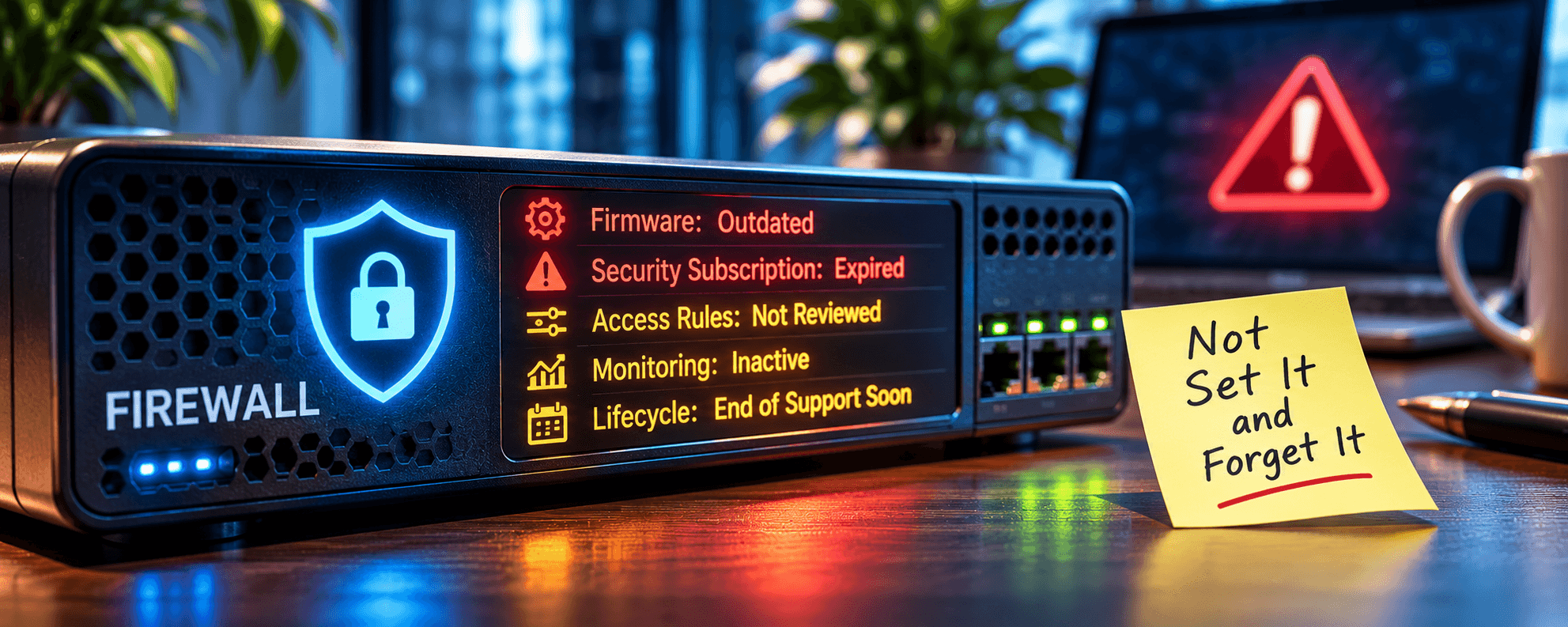
TL;DR: Your Firewall Needs More Than a Power Supply
Just because your firewall is running doesn’t mean your business is protected. Outdated firmware, expired security subscriptions, unnecessary access rules, and unmonitored threats can leave serious security gaps.
Recent PHP vulnerabilities and attacks targeting network devices reinforce the importance of proactive cybersecurity management.
The bottom line: Your firewall needs regular updates, security monitoring, configuration reviews, and a replacement plan. It’s not enough to have a firewall. Someone needs to make sure it’s actually doing its job.
Digging Into Firewall Management
Your business has a firewall. Great. One less thing to worry about, right? Not exactly.
That expensive box sitting between your network and the internet might have been installed years ago. It probably worked beautifully on day one.
But when was the last time someone checked it? Not whether the internet still works. Not whether the lights are blinking.
When was the last time someone verified that your firewall is actually protecting your business?
Because here’s the uncomfortable reality. A firewall can be powered on, connected, and functioning normally while still leaving your organization exposed.
- Outdated firmware.
- Expired security subscriptions.
- Forgotten access rules.
- Unmonitored alerts.
- Unsupported hardware.
Any one of these can undermine the protection you thought you had.
And with recent vulnerabilities affecting widely used technologies, including critical PHP security flaws disclosed in October 2026, businesses have another reminder that cybersecurity doesn’t stand still.
A firewall isn’t something you install and forget. You must manage it.
Your Firewall Is a Computer. And Computers Need Updates.
Most business leaders understand that computers and servers need security updates.
But firewalls? They’re often treated differently.
Once installed, they tend to disappear into the network closet, quietly doing their jobs.
The problem is that modern firewalls run complex operating systems and software. And like other technology, that software can contain vulnerabilities.
When manufacturers discover security flaws, they may release firmware updates to correct them.
If you don’t install those updates, your firewall could remain vulnerable even as its normal traffic-filtering functions continue to work.
The Canadian Centre for Cyber Security specifically recommends keeping edge devices such as firewalls, routers, and VPN gateways updated, monitoring vendor security advisories, and promptly addressing vulnerabilities.
And here’s something worth remembering… The device you purchased to protect your network can itself become an entry point for attackers.
Firmware updates aren’t simply maintenance. They’re essential to cybersecurity.
Recent PHP Vulnerabilities Are a Wake-Up Call
In October 2026, the PHP security team disclosed two critical vulnerabilities affecting widely used PHP runtimes:
- CVE-2026-109618: A memory-handling vulnerability that can allow remote code execution.
- CVE-2026-109619: A vulnerability involving improperly managed internal request state that can also allow remote code execution.
Collectively known as PHP2Shell, these vulnerabilities affect certain PHP installations that serve web requests.
The PHP project released security updates in versions 8.5.12, 8.4.27, 8.3.36, and 8.2.35. Organizations using affected installations were urged to update immediately.
According to the PHP project’s official security advisory, the vulnerabilities can allow unauthenticated attackers to execute code on vulnerable web servers.
Microsoft also reported that both vulnerabilities were added to CISA’s Known Exploited Vulnerabilities catalog on October 26, 2026, indicating evidence of exploitation in the wild.
What Does PHP Have to Do with Your Firewall?
PHP is not a firewall technology. These vulnerabilities affect vulnerable PHP installations, not every firewall. But they illustrate an important cybersecurity problem.
Businesses often have internet-facing systems, web applications, hosting environments, and third-party software that depend on components they rarely think about.
Those components can become vulnerable even when the business hasn’t changed anything.
A firewall may help restrict access or provide additional protective controls, but it doesn’t automatically eliminate vulnerabilities in the applications behind it.
And if a vulnerable application must remain accessible from the internet, a firewall alone may not prevent exploitation. The same principle applies to the firewall itself.
Whether the vulnerability affects a web application, a VPN gateway, or firewall firmware, someone must identify the risk, understand the exposure, and act.
This is why Managed IT Services and Cybersecurity Services should work together to maintain visibility across your technology environment.
Your Firewall Subscription Might Have Expired Without You Knowing
Modern business firewalls often rely on subscription-based security services.
Depending on the manufacturer and product, those services may include intrusion prevention, malware detection, web filtering, threat intelligence, and other advanced protections.
When a subscription expires, the firewall may continue passing through network traffic.
- Employees can still access email.
- Cloud applications still work.
- The internet seems perfectly normal.
But certain security capabilities may no longer receive updates or operate as intended.
That’s a problem because the absence of an obvious technical failure can create a false sense of security.
We’ve covered this issue in more detail in Your Firewall Is Only Protecting You If It’s Actually Protected.
The takeaway is simple… Your business should know which firewall security services are licensed, which protections are active, and when renewals are due.
A firewall that still works isn’t necessarily a firewall that’s still fully protected.
The Cybersecurity Rules You Created Three Years Ago Might Be Your Biggest Problem Today
Firewalls operate using rules that determine which traffic is allowed, restricted, or blocked. Those rules are necessary.
But over time, they can become a mess.
- A vendor needed temporary remote access to troubleshoot an application.
- A former employee required access to an internal system.
- Or a new cloud service required a configuration change.
- Maybe someone opened a network port to solve an urgent problem and never closed it.
Individually, those decisions may have made sense at the time.
But years later, your firewall could contain dozens of unnecessary or overly permissive rules.
And nobody remembers why they’re there. That creates opportunities for attackers and makes the environment more difficult to secure.
The Canadian Centre for Cyber Security’s edge-device guidance recommends regularly reviewing firewall rules, restricting administrative access, and following documented change-management procedures.
A firewall review should identify:
- Rules that are no longer needed.
- Unnecessary open ports and exposed services.
- Outdated vendor and remote-access permissions.
- Excessively broad access between network segments.
- Administrative interfaces are exposed to untrusted networks.
- Changes that were never properly documented.
The objective isn’t to make the firewall more complicated. It’s to make sure it allows only the access your business actually needs.
Is Anyone Watching What Your Firewall Is Telling You?
Here are some uncomfortable questions…
- What happens when your firewall detects something suspicious?
- Does someone receive an alert?
- Does anyone investigate it?
- Or does the notification sit on a dashboard that nobody opens?
Modern firewalls can generate valuable security information about blocked connections, intrusion attempts, suspicious traffic, authentication activity, and configuration changes.
But collecting information and acting on it are two very different things.
In June 2026, CISA issued guidance following reports of compromised credentials affecting internet-accessible Fortinet devices.
Its recommendations included reviewing firewall, VPN, authentication, and domain controller logs, securing administrative access, and enforcing stronger authentication.
The lesson goes beyond any one manufacturer. Firewalls need ongoing oversight.
That means reviewing alerts, spotting unusual activity, maintaining logs, and ensuring someone is accountable for responding when something looks wrong.
Security alerts aren’t particularly useful if nobody is paying attention.
Your Firewall Has an Expiration Date
Just because your firewall still turns on doesn’t mean it should still be protecting your business.
Every technology product has a lifecycle.
Eventually, manufacturers stop providing software updates, security patches, technical support, or replacement options.
At that point, keeping the device operational may introduce unnecessary risk.
In February 2026, CISA, the FBI, and the UK’s National Cyber Security Centre issued guidance warning about the risks of unsupported edge devices, including firewalls, routers, and VPN gateways.
Their guidance emphasizes that attackers can exploit vulnerabilities in equipment that no longer receives security fixes.
For businesses, this creates an important planning responsibility. You should know:
- When your firewall reaches end of support.
- Whether firmware and security updates are still available.
- When security subscriptions expire.
- Whether the hardware can support your current internet speeds and security requirements.
- Whether replacement costs are included in your technology budget.
A firewall replacement shouldn’t become an emergency purchase because someone suddenly discovers the manufacturer stopped supporting it.
It should be part of your technology roadmap.
A Firewall Is Only One Part of Your Security Strategy
Even a properly configured, fully updated firewall isn’t enough to protect an entire business.
- Employees work remotely.
- Applications run in the cloud.
- Company information lives in Microsoft 365.
- Personal and company-owned devices connect from different locations.
Attackers increasingly target identities, credentials, applications, and third-party services rather than trying to break through a traditional network perimeter.
That’s why cybersecurity requires multiple layers of protection.
Depending on the organization, those layers may include endpoint detection and response, multifactor authentication, identity management, email security, vulnerability management, backups, and continuous monitoring.
The firewall remains important. But it needs to operate as part of a coordinated cybersecurity strategy.
Using effective Cybersecurity Services, businesses can take a more proactive approach to managing security controls, identifying vulnerabilities, and protecting their technology environments.
The goal isn’t to rely on one security device. It’s to make sure the protections work together.
Questions Every Business Should Ask About Its Firewall
You don’t need to know how to configure a firewall to understand whether your business is managing it properly.
Start with these questions.
Is our firewall firmware current?
When was it last updated, and are there known vulnerabilities that need attention?
Are all our security subscriptions active?
Do we know which services are enabled, when they expire, and what happens if they lapse?
When were our firewall rules last reviewed?
Are unnecessary access permissions, exposed services, and outdated configurations being removed?
Who monitors our firewall?
Does someone review security alerts, investigate suspicious activity, and respond to potential threats?
When does our firewall reach end of support or end of life?
Do we have a documented replacement plan and budget?
If these questions are difficult to answer, your firewall may need more attention than you realize.
Your Firewall Shouldn’t Be Something You Only Think About When It Breaks
The most dangerous cybersecurity problems aren’t always the ones that cause immediate disruptions.
Sometimes everything appears to be working.
- Employees are productive.
- Applications are accessible.
- Internet connections are stable.
Meanwhile, security subscriptions have expired, firmware is outdated, access rules haven’t been reviewed, and nobody is monitoring suspicious activity.
Recent PHP vulnerabilities and ongoing attacks on network edge devices remind us that threats keep evolving, whether your business is paying attention or not.
A proactive approach to Managed IT Services helps businesses maintain visibility into their infrastructure, plan upgrades, and address potential problems before they become costly incidents.
And a well-managed firewall is an important part of that process. Because the question isn’t whether your business has a firewall.
It’s whether anyone is making sure that firewall is still doing its job.
A solid IT partner will help businesses evaluate their network infrastructure, identify security gaps, and maintain the systems they depend on.