
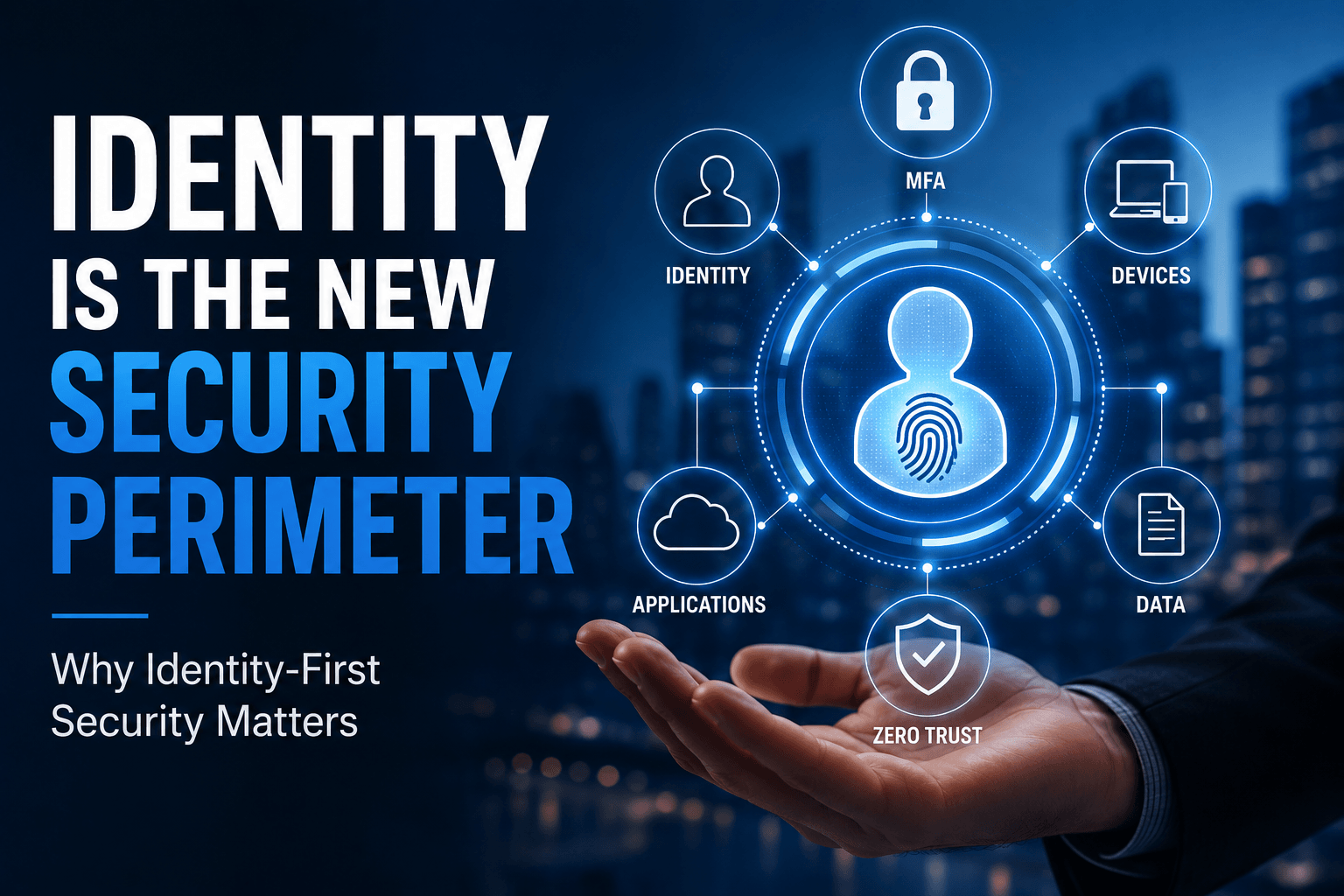
There was a time when cybersecurity was relatively easy to visualize. Employees came to the office. Their computers connected to the company network. Servers sat somewhere in the building, and a firewall stood between the business and everything happening on the internet.
Employees came to the office. Their computers were connected to the company network. Servers sat somewhere in the building, and a firewall stood between the business and everything happening on the internet.
Protect the network, and you protected the business.
That model hasn’t disappeared completely, but it no longer reflects how most organizations operate.
Today, an employee might check Outlook from a phone before breakfast, join a Teams meeting from home, access a CRM from a laptop at a coffee shop, and use an AI assistant to summarize a document.
Meanwhile, company information may live across Microsoft 365, SharePoint, cloud applications, customer databases, accounting systems, and data centers.
So where exactly is the perimeter?
Increasingly, it’s identity.
That’s why identity-first security has become such an important part of modern cybersecurity.
Hackers Don’t Always Break in Anymore. Sometimes They Log In.
When most people picture a cyberattack, they imagine someone “hacking” through a firewall.
That still happens, but attackers have another option that’s often much easier: steal a legitimate identity and use it.
Credentials can be compromised through phishing, malware, social engineering, credential reuse, token theft, and other techniques. Once attackers have legitimate credentials, their activity can look surprisingly similar to that of a real employee.
That’s what makes identity-based attacks so dangerous.
Verizon’s credential-theft guidance, drawing on its 2025 Data Breach Investigations Report, says stolen credentials were involved in 32% of breaches and remained a popular entry point for organizations.
This aligns closely with what we discuss in Cybersecurity Services. Modern attackers increasingly target identities, legitimate credentials, unmanaged devices, and cloud environments rather than relying solely on traditional attempts to penetrate a network perimeter.
The front door hasn’t disappeared.
Attackers have simply discovered that stealing the key can be easier than breaking it down.
Your Network Has Left the Building
Think about how your employees work today.
They may access company systems from home, customer locations, airports, hotels, mobile phones, personal networks, and multiple company-owned devices.
Contractors and vendors may also need access, while critical applications are increasingly delivered through cloud services that aren’t physically located near your office.
This is one reason NIST’s Zero Trust Architecture guidance moves cybersecurity away from static, network-based perimeters and toward protecting users, assets, and resources.
NIST specifically states that trust shouldn’t be granted simply because a user or device happens to be inside a particular network.
In plain English, being “inside” isn’t enough anymore.
Instead of asking:
“Is this person connected to our network?”
Businesses increasingly need to ask:
“Who is requesting access, what are they trying to access, what device are they using, and should they be allowed to do it?”
That’s identity-first security.
Identity Security Is More Than a Password
If identity is the new security perimeter, passwords alone aren’t much of a perimeter.
Most of us have probably reused a password at some point. We’ve also seen enough phishing emails to know that attackers have become remarkably good at creating messages and login pages that look legitimate.
A modern identity strategy requires several layers to work together.
Multi-Factor Authentication
Multi-Factor Authentication, or MFA, requires users to provide another form of verification beyond a password.
CISA recommends businesses require MFA wherever possible, particularly for:
- File storage
- Remote access
- Administrator accounts
- Employees handling sensitive information
CISA also recommends moving toward phishing-resistant MFA when possible because not all authentication methods provide the same level of protection.
Microsoft’s guidance is similarly strong. Microsoft reports that accounts using MFA are more than 99.9% less likely to be compromised and recommends Conditional Access as a way to enforce MFA across Microsoft Entra environments.
MFA isn’t the entire security strategy. But if you’re protecting identities, it’s one of the first places to start.
Conditional Access Is Key to Cybersecurity
Not every login attempt represents the same level of risk.
An employee signing into Microsoft 365 on their normal managed laptop during a typical workday is very different from the same account suddenly attempting to access sensitive information under unusual circumstances.
Conditional Access allows organizations to apply access rules based on factors such as identity, authentication strength, device status, and other conditions.
Microsoft recommends using Conditional Access policies to require MFA, with stronger authentication requirements available for higher-risk situations.
Most Microsoft 365 Solutions take this same security-first approach, combining Microsoft Entra ID, MFA, Conditional Access, device management, data protection, and ongoing monitoring rather than treating Microsoft 365 as something businesses simply turn on and forget.
Least-Privilege Access
Here’s another simple question:
“Does everyone in your organization have access only to what they actually need?”
- Employees change roles.
- Contractors finish projects.
- Responsibilities shift.
- Applications are added
- People leave the company.
Permissions tend to accumulate.
A strong identity-first strategy follows the principle of least privilege: give users and systems only the access they need to perform their jobs, not everything else.
This isn’t about making work harder.
It’s about reducing what a compromised identity can reach.
Identity Is a Business Issue, Not Just an IT Issue
This is where the conversation becomes much bigger than cybersecurity technology.
Consider what a compromised Microsoft 365 identity might potentially expose depending on that employee’s permissions:
- Email and internal communications
- SharePoint and OneDrive files
- Customer information
- Financial information
- Teams conversations
- Cloud applications
- Business-critical systems
That’s why a solid cybersecurity approach treats identity governance, access controls, MFA, and continuous monitoring as foundational security controls.
This isn’t really about protecting a password.
It’s about protecting what that identity can do once someone is logged in.
And that’s a business risk.
A Quick Survey to Assess Your Cybersecurity
Take a few minutes and consider your own organization. You don’t personally need to know every technical answer, but someone should.
- Does every employee use MFA?
- Are administrator accounts more tightly protected?
- Are former employee accounts disabled promptly?
- Do you regularly review Microsoft 365 permissions?
- Do employees still have access left over from previous roles?
- Are unmanaged or personal devices accessing company systems?
- Are you using Conditional Access where appropriate?
- Do you know which third-party applications can access business information?
- Are suspicious login attempts being monitored?
- Would you know if an employee’s credentials were compromised?
If several of those questions make you pause, that’s useful information.
Because you can’t protect identities you don’t understand, and you can’t control access you can’t see.
What Identity Security Looks Like in the Real World
Imagine an employee receiving a convincing Microsoft 365 phishing message and entering their username and password into a fake login page.
The attacker now has credentials.
In an environment where access relies primarily on a username and password, the attacker may be able to access email, cloud applications, customer information, or shared files while appearing to be the legitimate employee.
Now imagine the same incident in an organization using an identity-first approach.
- MFA creates another barrier.
- Conditional Access evaluates the request.
- Device policies can limit access from unmanaged endpoints.
- Least-privilege permissions reduce what the account can reach, while monitoring can help identify unusual behavior.
The phishing message might be identical. The business outcome can be dramatically different.
That’s the point of identity-first security. You’re not assuming every attack can be prevented.
You’re building controls that make one compromised password much less likely to become a company-wide incident.
AI Makes Identity Even More Important
There’s another reason businesses should be thinking about identity now. AI.
When we talk about identities, we’re no longer talking only about employees.
Applications have identities. Services have identities. Automated processes have identities. And increasingly, AI agents have identities and permissions, too.
An AI agent might need access to email, Microsoft 365, a CRM, customer information, calendars, or other business systems to complete a task.
That creates a very important question:
What is the AI allowed to access and do?
Agentic AI Management Solutions emphasize identity-first security, role-based access controls, MFA, data governance, monitoring, and human oversight, as AI agents operate within the permissions and workflows organizations assign them.
AI doesn’t make identity security obsolete.
It makes getting identity right even more important.
Zero Trust Doesn’t Mean Trust Nobody
The term “Zero Trust” can sound a little unfriendly.
It can make it seem like IT doesn’t trust employees.
That’s not really what it means.
Zero Trust means access isn’t automatically trusted simply because someone is sitting in the office, using a company laptop, or knows the correct password.
NIST describes it as an approach where authentication and authorization happen before access to resources is established, with protection focused on resources rather than simply network segments.
NIST’s cloud-focused Zero Trust guidance goes even further.
Think of it this way:
- Verify who’s asking.
- Ask what they’re using.
- Verify what they’re allowed to access.
- Then continue paying attention.
That’s a much more useful way to think about Zero Trust.
You Don’t Have to Fix Everything Overnight
Identity-first security can sound like a massive cybersecurity project. It doesn’t have to be.
For many small and midsized businesses, the starting point is much more practical:
- Identify every active user and administrator account.
- Require MFA wherever possible.
- Review Microsoft 365 permissions.
- Remove unused and former employee accounts.
- Reduce unnecessary administrator privileges.
- Review access from unmanaged devices.
- Implement Conditional Access where appropriate.
- Monitor identities and access for suspicious activity.
CISA’s guidance for small and midsized businesses similarly prioritizes practical controls such as MFA, strong authentication, logging, backups, software updates, and employee phishing awareness.
The goal isn’t to install another cybersecurity product.
The goal is to know who has access to your business and if they should. If they should not, simply remove the access.
The Front Door to Your Business Has Changed
Firewalls still matter.
Endpoint protection still matters.
Patching, backups, employee training, and network security still matter.
Identity-first security doesn’t replace those controls. It connects them to the reality of how business operates today.
Your organization no longer exists inside four office walls. It exists across:
- Microsoft 365
- Cloud applications
- Mobile devices
- Remote employees
- SaaS platforms
- Customer systems
- AI-powered workflows
Almost every one of those systems starts by asking the same question:
Who are you?
The next question is even more important:
What should you be allowed to do?
That’s why identity is the new security perimeter.
And protecting it has become one of the most important parts of protecting the business.
How Secure Are Your Business Identities?
If you’re not confident about who has access to what across your organization, that’s a good place to start.
An IT company can help evaluate your Microsoft 365 environment, MFA, Conditional Access, user permissions, endpoint security, identity and access management, and ongoing monitoring as part of a broader cybersecurity strategy.
The objective isn’t to pile on more security technology.
It’s to give the right people secure access to the resources they need while making it considerably harder for everyone else to get in.