
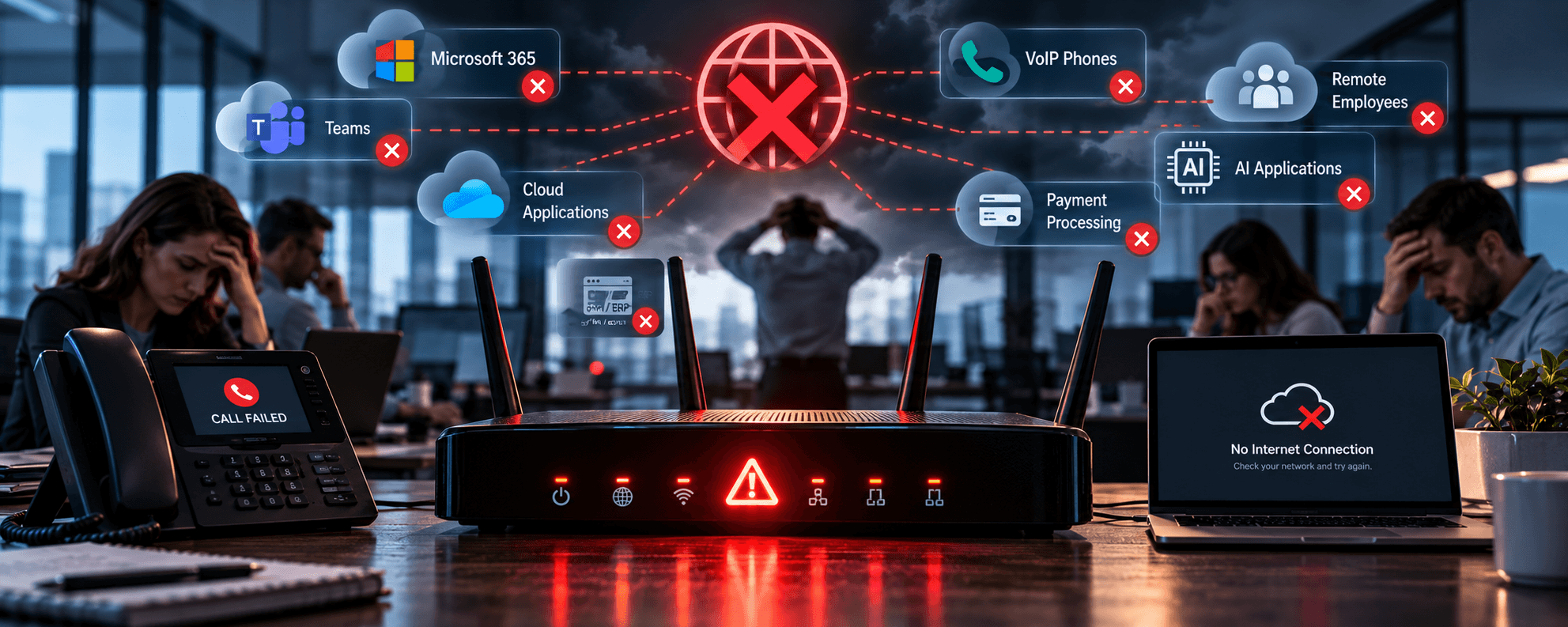
Ten years ago, if the internet went down in an office, it would be frustrating.
People couldn’t browse the web. Email might stop working. Someone would call the internet provider, employees would complain, and eventually everyone would get back to work.
Today?
Your phones may stop working. Microsoft 365 becomes inaccessible. Cloud applications disconnect. Remote employees can’t reach critical systems. Credit card processing may fail. Customer service tools disappear. AI applications stop responding.
The lights can still be on, and everyone can still be sitting at their desks.
But the business may effectively be offline.
That’s why internet connectivity shouldn’t be treated as another utility bill anymore.
For many organizations, it has become business-critical infrastructure.
Think About What Depends on Your Internet Connection
Start with a simple exercise.
What would stop working in your business if you completely disconnected your internet connection right now?
For many companies, the list is surprisingly long:
- Microsoft 365
- Cloud-based business applications
- VoIP phone systems
- CRM and ERP platforms
- Cloud storage and file sharing
- Remote workers
- Customer portals
- Payment processing
- Cloud backups
- Security platforms
- AI applications and agents
- Video conferencing
- Vendor and supply-chain systems
This is fundamentally different from the technology environment many businesses had even a few years ago.
We’ve steadily moved applications, communications, storage, collaboration, and increasingly AI into the cloud.
That’s created tremendous flexibility.
It’s also made the connection between your employees and those services much more important.
Microsoft says that network reliability and low latency are among the most significant factors affecting the Microsoft 365 user experience. Applications such as Teams are particularly sensitive because voice, video, meetings, and screen sharing depend on responsive network connectivity.
Your cloud applications may be running perfectly. If you can’t reach them, that doesn’t help you very much.
One Internet Connection May Be a Single Point of Failure
Businesses routinely think about redundancy in other areas of technology.
We have redundant storage. Multiple backup copies. Spare hardware. Cloud backups. High-availability servers.
Then the entire office connects to those systems through one internet connection. That’s worth examining.
If losing connectivity would significantly disrupt your business, a second connection may no longer be a luxury.
Internet redundancy can involve two separate providers or connection technologies, combined with a firewall or network appliance capable of automatically moving traffic to the secondary connection when the primary connection fails.
The important word there is automatically. You don’t want someone crawling behind a firewall, moving cables while 40 employees wait to work.
A properly designed failover environment should detect the problem, switch traffic to the available connection, and give IT visibility into what happened.
That’s the difference between having a backup connection and having an actual failover strategy.
Your Phone System Depends on the Network Too
VoIP changed business communications by moving phone calls onto IP networks.
That’s created enormous advantages in mobility, remote work, integrations, AI, call routing, and customer service.
It also means network design matters to your phones.
3CX’s current firewall and router configuration guidance illustrates just how many communications functions depend on properly configured network connectivity, including SIP trunks, audio traffic, remote applications, video conferencing, provisioning, and cloud services.
And resilience isn’t just about the internet circuit. 3CX supports mechanisms such as SIP trunk failover and, in appropriate deployments, PBX failover to reduce the impact of different types of communications failures.
That’s why you should approach VoIP and PBX systems as part of the broader technology environment.
Your phone system doesn’t live on an island anymore. Neither does your network.
Having Fast Internet Doesn’t Mean You Have a Good Network
This is where businesses sometimes get confused.
They run a speed test.
“900 Mbps. We’re good.”
Maybe. Bandwidth is only one piece of network performance.
Latency, packet loss, wireless coverage, firewall configuration, switching, routing, congestion, DNS, and network design can all affect the employee experience.
A fast internet connection connected to a poorly designed internal network can still produce:
- Choppy VoIP calls
- Frozen video meetings
- Slow cloud applications
- Intermittent disconnects
- Poor wireless performance
- Unreliable remote connections
Microsoft’s Microsoft 365 network connectivity guidance emphasizes minimizing latency and providing efficient paths between users and Microsoft’s network, rather than assuming raw bandwidth alone determines performance.
Speed matters. Network design matters more than many businesses realize.
And Then There’s Wi-Fi
Sometimes the internet isn’t actually the problem. The Wi-Fi is.
Employees understandably think of the two as the same thing.
“My internet is slow.”
But the ISP connection may be operating perfectly while an employee is sitting in a conference room with poor wireless coverage, interference, overloaded access points, or a bad network design.
As businesses become more dependent on laptops, smartphones, tablets, wireless phones, IoT devices, and flexible workspaces, Wi-Fi has become another layer of business infrastructure.
That means wireless networks should be designed, not accumulated.
Adding another consumer-grade extender every time someone complains about coverage isn’t a network strategy.
Managed IT Services should include network design, installation, wireless networking, network security, and ongoing preventative maintenance because these systems work together.
The question isn’t simply whether you have Wi-Fi. It’s whether you have reliable connectivity where your employees actually work.
Failover Isn’t Helpful If Nobody Knows It Failed
Imagine your primary internet connection fails at 10:17 a.m. Your firewall automatically switches to the secondary connection.
Everyone keeps working. Excellent.
But nobody receives an alert.
Three weeks later, the backup connection fails too.
Now you discover you’ve unknowingly been operating without redundancy for nearly a month.
That’s why monitoring matters. A resilient network should provide visibility into things like:
- Internet connection status
- Firewall health
- Network equipment availability
- Wireless access points
- Bandwidth utilization
- Performance degradation
- Failover events
- Connectivity problems
Microsoft provides network connectivity assessment and monitoring capabilities specifically because cloud performance depends heavily on the path between the user and the service. Its Microsoft 365 network assessment guidance recommends evaluating internet connectivity as part of Microsoft 365 planning and operations.
You shouldn’t need employees to tell you the network is failing. Ideally, your IT team already knows.
Cloud Strategy Requires Network Strategy
Businesses sometimes treat cloud migration and network infrastructure as separate projects.
They aren’t.
The more applications you move into the cloud, the more important the network path to those applications becomes.
- Migrate Microsoft 365 to the cloud? Network dependent.
- Move your servers to Infrastructure as a Service? Network dependent.
- Change your phone system to VoIP? Network dependent.
- Deploy cloud-based AI agents? Network dependent.
- Build a remote workforce? Definitely network dependent.
Every cloud service you adopt changes the role connectivity plays in your business.
That’s not an argument against cloud computing. It’s an argument for designing the network around the business you’ve become.
What Does an Internet Outage Actually Cost You?
Here’s another useful question.
What does one hour without internet cost your business?
Don’t think only about the ISP bill. Think about…
- Employees who can’t work.
- Customers who can’t reach you.
- Calls that can’t be completed.
- Orders that can’t be processed.
- Meetings that can’t happen.
- Applications that aren’t available.
- Remote employees who can’t connect.
For some organizations, the answer may be relatively small.
For others, an hour of downtime can easily cost more than months of redundant connectivity.
That’s why the decision about redundancy shouldn’t begin with:
“How much does a second internet connection cost?”
It should begin with:
“How much does losing the first one cost?”
Your Network Should Match the Business You Have Today
A network installed five or ten years ago may still technically work. That doesn’t mean it was designed for today’s business.
The number of devices has changed. Cloud usage has changed. Microsoft 365 has changed. Remote work has changed. Phone systems have changed. Cybersecurity has changed.
And now AI is adding another layer of cloud-dependent applications, agents, data, and automation. Your network needs to evolve with them.
A good network assessment should look beyond internet speed and ask:
- Do we have a connectivity single point of failure?
- What happens when our primary ISP fails?
- Does failover happen automatically?
- Are our phones protected from connectivity failures?
- Is our Wi-Fi designed for our current environment?
- Are firewalls and switches properly configured?
- Are we monitoring network performance and failures?
- Do we have enough capacity for cloud, voice, video, and AI?
- What would actually stop working during an outage?
Those questions tell you far more than a speed test.
The Internet Isn’t Just How You Get Online Anymore
For many businesses, the internet has quietly become the road connecting employees to nearly everything they need to do their jobs.
- Microsoft 365
- Cloud applications
- Remote work
- Customer systems
- Security services
That’s why connectivity deserves the same strategic thinking businesses apply to servers, cybersecurity, backups, and business continuity. You need…
- Enough capacity
- Good network design
- Visibility
And if losing the connection means losing the ability to operate, you probably need a Plan B.
Because your internet connection isn’t just how your employees browse the web anymore.
It’s how your business gets to work.
Any good MSP should be able to evaluate your internet connectivity, network infrastructure, Wi-Fi, firewall, VoIP environment, cloud dependencies, monitoring, and failover strategy to identify where a connectivity failure could become a business failure.