
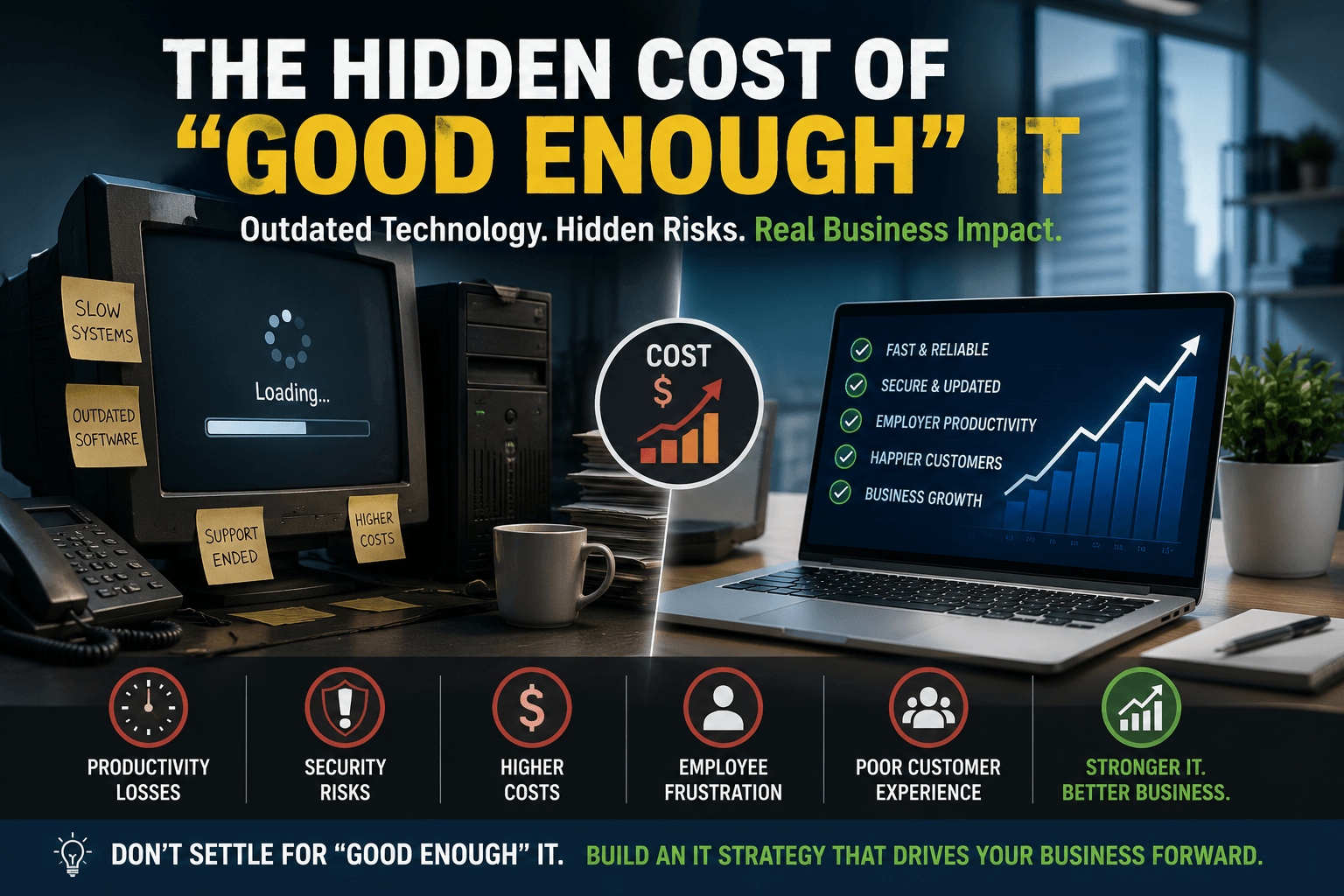
Why Aging Technology May Be Costing Your Business More Than You Think
If your computers still power on, your servers are running, and employees can still do their jobs, it’s easy to assume your technology is ‘good enough.’
After all, why replace something that still works?
Many business leaders ask that question, especially during periods of economic uncertainty. Delaying technology investments can appear to be a responsible way to control costs and preserve cash flow.
Unfortunately, “good enough” IT often carries hidden expenses that never appear on a technology invoice. Instead, they show up throughout the business as:
- Slower employee performance
- Increased cybersecurity exposure
- Frequent support issues
- Unexpected downtime
- Frustrated customers
- Missed growth opportunities
We’ve found that organizations spend less on IT over time when they replace aging technology before it becomes a business problem.
They are the organizations that proactively manage their technology lifecycle, reduce preventable risks, and give employees the tools they need to remain productive.
The real cost of outdated technology is not what you save by delaying an upgrade. It is what your business loses while waiting.
Do the math: what do slow computers and downtime cost you?
Aging Hardware Slows More Than Computers
Technology rarely fails overnight. It gradually becomes slower, less reliable, and more expensive to maintain, quietly increasing costs until the impact becomes impossible to ignore.
Employees may begin experiencing problems such as:
- Applications taking longer to open
- Large files loading or transferring slowly
- Video meetings freezing or disconnecting
- Computers requiring frequent restarts
- Hardware needing more repairs
- New applications running poorly
- Batteries, storage drives, and other components failing
Each issue may appear minor when viewed individually. Across an entire workforce, however, these interruptions create daily friction that quietly reduces productivity.
Microsoft continues to introduce performance, security, and collaboration improvements through current versions of Windows and Microsoft 365. Older hardware may struggle to support those capabilities efficiently, particularly as applications become more demanding, including AI and Agentic AI Solutions.
If each person loses only 10 minutes per day to slow devices and recurring technical issues, those minutes quickly add up to hundreds of lost hours across the organization. Again, just do the math, and you will see the true cost of slow devices and tech issues.
Technical Debt Becomes More Expensive Over Time
Technical debt describes the long-term cost of postponing necessary technology improvements. Much like financial debt, it accumulates interest.
Organizations that delay modernization often encounter:
- Increasing maintenance expenses
- Compatibility problems between old and new systems
- Emergency hardware replacements
- Unsupported applications
- Manual processes and employee workarounds
- Greater dependence on a small number of employees who understand legacy systems
- Reduced flexibility when business needs change
Instead of investing strategically, the organization begins reacting to problems as they occur.
- A server requires emergency repair.
- A legacy application stops working after an update.
- Critical devices fail without a replacement plan.
- Employees create unofficial processes to compensate for software limitations.
The NIST Cybersecurity Framework emphasizes the importance of understanding, managing, and reducing technology risk across the lifecycle of an organization’s systems.
The longer technical debt remains unaddressed, the more expensive it becomes. Short-term savings often lead to much higher long-term costs.
Unsupported Software Creates Hidden Business Risks
Businesses frequently continue using operating systems, servers, or applications that no longer receive regular security or software updates. Once vendor support ends, newly discovered vulnerabilities may remain unpatched, leaving systems increasingly exposed.
Unsupported software can create problems involving:
- Cybersecurity
- Regulatory compliance
- Application compatibility
- Vendor support
- System stability
- Cyber insurance requirements
- Access to new features and integrations
Microsoft’s end of support for Windows 10 is a clear example. Organizations that continue to use unsupported operating systems may face increased security and compatibility risks as vendors shift their focus to newer platforms.
You can review Microsoft’s current product lifecycle information through the Microsoft Lifecycle Policy and its specific guidance for Windows 10 Home and Pro.
A system may continue to function after support ends, but “still working” does not mean secure, compliant, or appropriate for continued business use. These are massive risks.
Cybersecurity Depends on a Modern Technology Foundation
Cybersecurity is not simply a matter of installing antivirus software and a firewall.
Modern protection depends on a secure, supported, and properly managed technology environment. Controls such as Endpoint Detection and Response or (EDR), identity protection, encryption, Multi-Factor Authentication, and Zero Trust security operate most effectively when devices run current operating systems and supported software.
Older systems can create limitations involving:
- Hardware-based security features
- Encryption
- Secure Boot and Trusted Platform Module support
- Endpoint protection compatibility
- Modern identity management
- Security patches
- Centralized monitoring and management
The Cybersecurity and Infrastructure Security Agency recommends keeping software current, applying security updates promptly, and replacing unsupported systems as part of a proactive cybersecurity strategy.
Cybersecurity begins before a threat reaches the network. It starts with maintaining infrastructure capable of supporting the protections a modern business requires.
“Good Enough” Technology Frustrates Employees
Technology should make employees more effective. Outdated systems often do the opposite. Common frustrations include:
- Waiting for applications to load
- Losing work during system crashes
- Experiencing poor audio or video during meetings
- Struggling with unreliable Wi-Fi
- Reconnecting printers and peripherals
- Repeating tasks because systems do not integrate
- Using manual workarounds for outdated applications
Over time, employees may stop reporting these problems because they assume that poor performance is normal. The organization then loses visibility into the true impact of its technology.
Frustration also creates additional risk. Employees may adopt unauthorized applications, store files outside approved systems, or bypass security processes because official tools feel too slow or difficult to use.
What begins as a productivity problem can quickly become a cybersecurity and data governance problem.
Your Customers Notice More of Your Bad Technology Than You Think
Customers may not understand the technology behind your business, but they experience its performance.
Aging or unreliable systems can affect customer interactions through:
- Slow response times
- Dropped phone or video calls
- Delayed order processing
- Inaccurate information
- Website interruptions
- Long customer service wait times
- Missed messages
- Repeated requests for the same information
Slow CRMs may delay a sales response. An outdated phone system may frustrate callers. Network problems may interrupt a consultation. Poor integrations may force customers to repeat information they have already provided.
Customers rarely know why the problem occurred. They simply remember that the experience was slow, confusing, or unreliable.
IBM’s overview of business continuity highlights the connection between resilient operations and an organization’s ability to continue serving customers during disruptions.
Technology is part of your customer experience as much as it is an internal business tool.
Proactive IT Costs Less Than Reactive IT
Organizations often postpone upgrades because the immediate cost appears high. Reactive IT can be far more expensive once hidden expenses are included.
Unplanned costs may include:
- Emergency hardware purchases
- Expedited shipping
- After-hours technical support
- Data recovery
- Employee downtime
- Lost revenue
- Missed customer opportunities
- Cybersecurity incident response
- Compliance penalties
- Damage to customer trust
A proactive technology lifecycle strategy spreads investments over time. It allows businesses to replace aging systems before they fail, budget more predictably, and align upgrades with business priorities.
This approach is central to Managed IT Services. Continuous monitoring, lifecycle planning, cybersecurity management, and strategic technology guidance help organizations reduce surprises and make more informed decisions.
Technology Should Enable Growth
Modern businesses increasingly depend on:
- Microsoft 365
- Cloud applications
- VoIP communications
- Remote and hybrid work
- Cybersecurity platforms
- Business intelligence
- Workflow automation
- Artificial intelligence
- Agentic AI systems
These tools can create tremendous value, but they depend on the infrastructure beneath them.
Businesses investing in AI, automation, or cloud services may discover that aging workstations, outdated servers, unreliable networks, and unsupported operating systems prevent employees from realizing the intended benefits.
Technology should create opportunities for growth. It should not limit what the organization can accomplish.
Predictive IT Helps Businesses Move Beyond “Good Enough”
A predictive IT firm helps organizations replace reactive technology management with a proactive, strategic approach. That may include:
- Monitoring devices and infrastructure
- Identifying aging or unsupported systems
- Planning workstation and server replacements
- Strengthening cybersecurity controls
- Managing Microsoft 365
- Improving cloud infrastructure
- Supporting business continuity and disaster recovery
- Developing long-term technology roadmaps
- Preparing infrastructure for AI and automation
Rather than waiting for systems to fail, businesses can identify risk early, prioritize improvements, and align technology investments with operational goals.
The goal is not to replace everything at once, but to prioritize the greatest risks and build a practical roadmap for future growth.
Is “Good Enough” Actually Good Enough with Your Technology?
“Good enough” technology often appears to be the least expensive option. Over time, it can quietly become one of the costliest decisions a business makes.
The true cost appears through:
- Lost productivity
- Increased cybersecurity risk
- Recurring support issues
- Employee frustration
- Poor customer experiences
- Unexpected downtime
- Delayed innovation
- Missed business opportunities
Organizations that proactively manage technology do more than avoid problems. They create environments where employees work efficiently, customers receive dependable service, and leadership can focus on growth rather than preventable IT issues.
The question is not whether your technology still works.
The better question is:
Is your technology helping your business move forward, or is “good enough” quietly holding it back? Let’s talk!